Dashboard
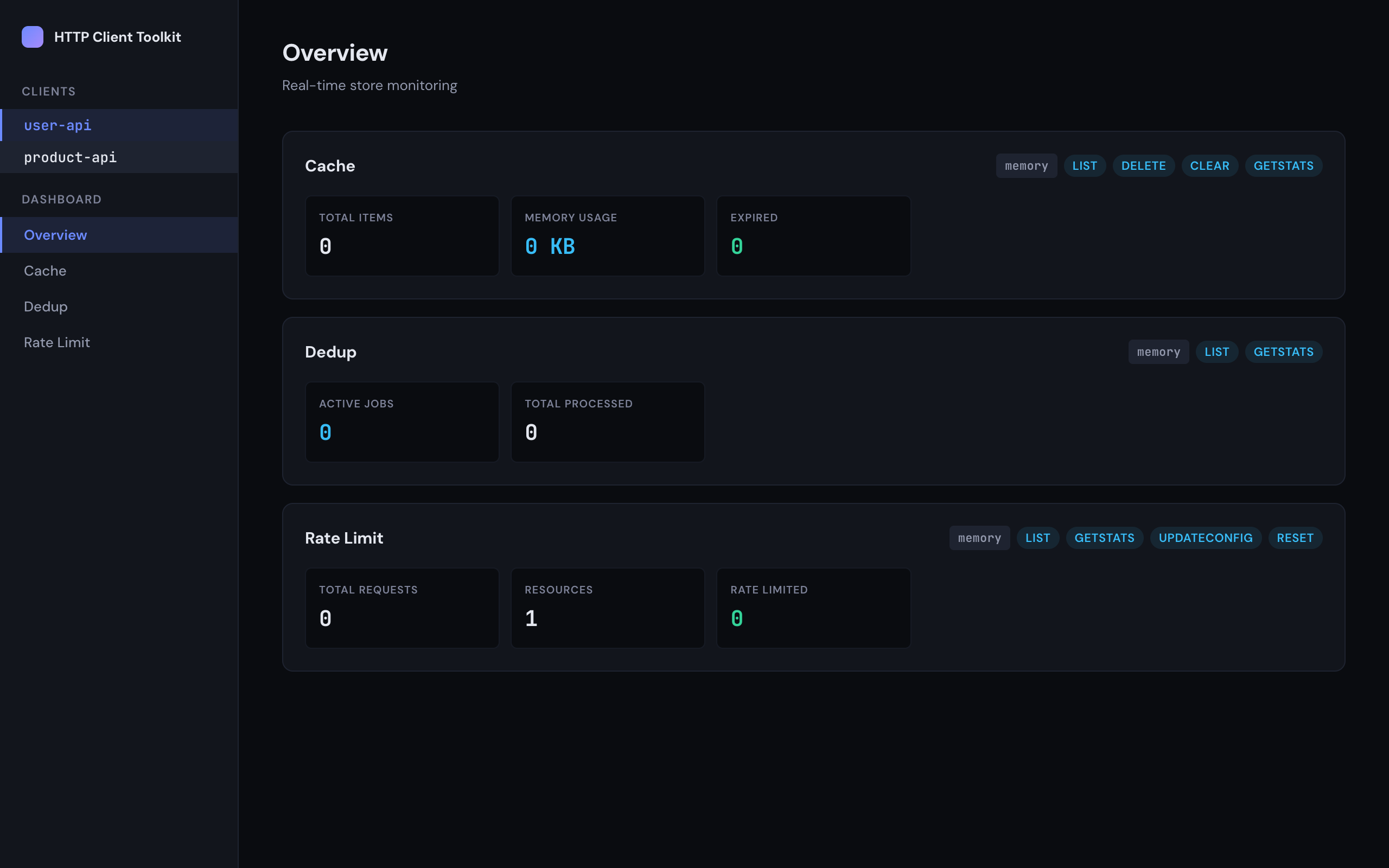
The dashboard package provides a browser-based UI for monitoring your cache, dedup, and rate limit stores in real time. It supports multiple named clients, works with all store backends (Memory, SQLite, DynamoDB), and auto-detects capabilities.
Installation
Section titled “Installation”npm install @http-client-toolkit/dashboardpnpm add @http-client-toolkit/dashboardyarn add @http-client-toolkit/dashboardEmbedded Middleware
Section titled “Embedded Middleware”Mount the dashboard inside an existing HTTP server using createDashboard(). Pass in one or more HttpClient instances — the dashboard reads their stores automatically:
import http from 'http';import { HttpClient } from '@http-client-toolkit/core';import { createDashboard } from '@http-client-toolkit/dashboard';import {  InMemoryCacheStore,  InMemoryDedupeStore,  InMemoryRateLimitStore,} from '@http-client-toolkit/store-memory';
const userApiClient = new HttpClient({  name: 'user-api',  cache: { store: new InMemoryCacheStore() },  dedupe: new InMemoryDedupeStore(),  rateLimit: { store: new InMemoryRateLimitStore() },});
const productApiClient = new HttpClient({  name: 'product-api',  cache: { store: new InMemoryCacheStore() },  rateLimit: { store: new InMemoryRateLimitStore() },});
const dashboard = createDashboard({  clients: [    { client: userApiClient },    { client: productApiClient },  ],});
const server = http.createServer(dashboard);server.listen(4000, () => {  console.log('Dashboard at http://localhost:4000');});
The middleware signature is (req, res, next?) => void, so it works with plain http.createServer, Express, Connect, and similar frameworks.
Web Standards Handler
Section titled “Web Standards Handler”Use createDashboardHandler() for frameworks and runtimes that use the Web Standards Request/Response API — such as Hono, Bun, and Deno:
import { HttpClient } from '@http-client-toolkit/core';import { createDashboardHandler } from '@http-client-toolkit/dashboard';import { InMemoryCacheStore, InMemoryDedupeStore, InMemoryRateLimitStore } from '@http-client-toolkit/store-memory';
const userApiClient = new HttpClient({  name: 'user-api',  cache: { store: new InMemoryCacheStore() },  dedupe: new InMemoryDedupeStore(),  rateLimit: { store: new InMemoryRateLimitStore() },});
const handler = createDashboardHandler({  clients: [{ client: userApiClient }],});
The handler signature is (request: Request) => Promise<Response>, so it plugs directly into any Web Standards-compatible server:
import { Hono } from 'hono';
const app = new Hono();app.all('/dashboard/*', (c) => handler(c.req.raw));Bun.serve({ fetch: handler });Deno.serve(handler);Standalone Server
Section titled “Standalone Server”For convenience, startDashboard() spins up its own HTTP server:
import { HttpClient } from '@http-client-toolkit/core';import { startDashboard } from '@http-client-toolkit/dashboard';import { InMemoryCacheStore, InMemoryDedupeStore, InMemoryRateLimitStore } from '@http-client-toolkit/store-memory';
const userApiClient = new HttpClient({  name: 'user-api',  cache: { store: new InMemoryCacheStore() },  dedupe: new InMemoryDedupeStore(),  rateLimit: { store: new InMemoryRateLimitStore() },});
const { server, close } = await startDashboard({  clients: [{ client: userApiClient }],  port: 4000,  host: 'localhost',});
// Later...close();
Multi-Client Support
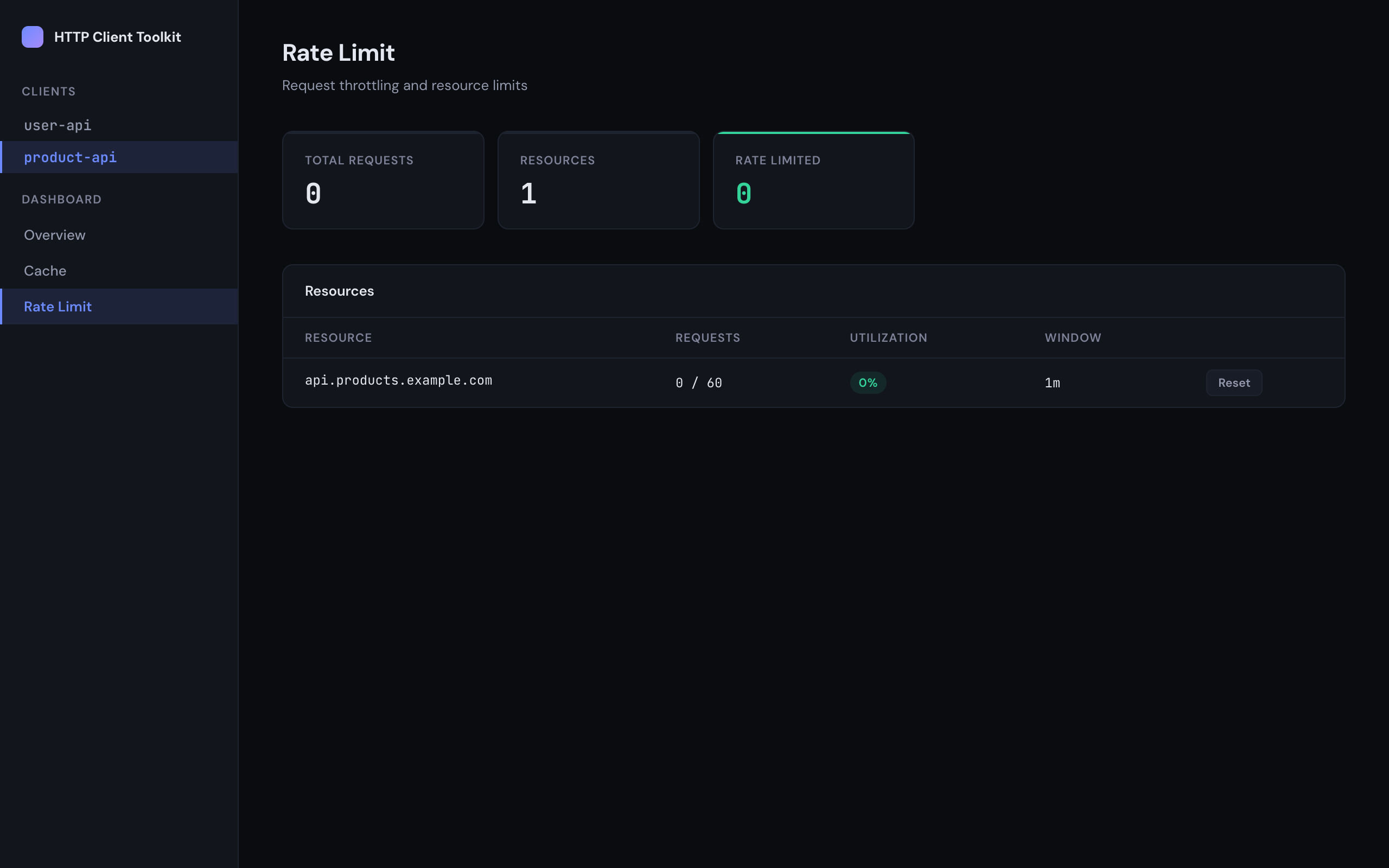
Section titled “Multi-Client Support”When multiple clients are configured, the sidebar displays a client selector. Each client has its own independent stores, and the navigation adapts to show only the views available for the selected client.
Client names must be URL-safe (letters, numbers, hyphens, underscores) and unique within a dashboard instance.
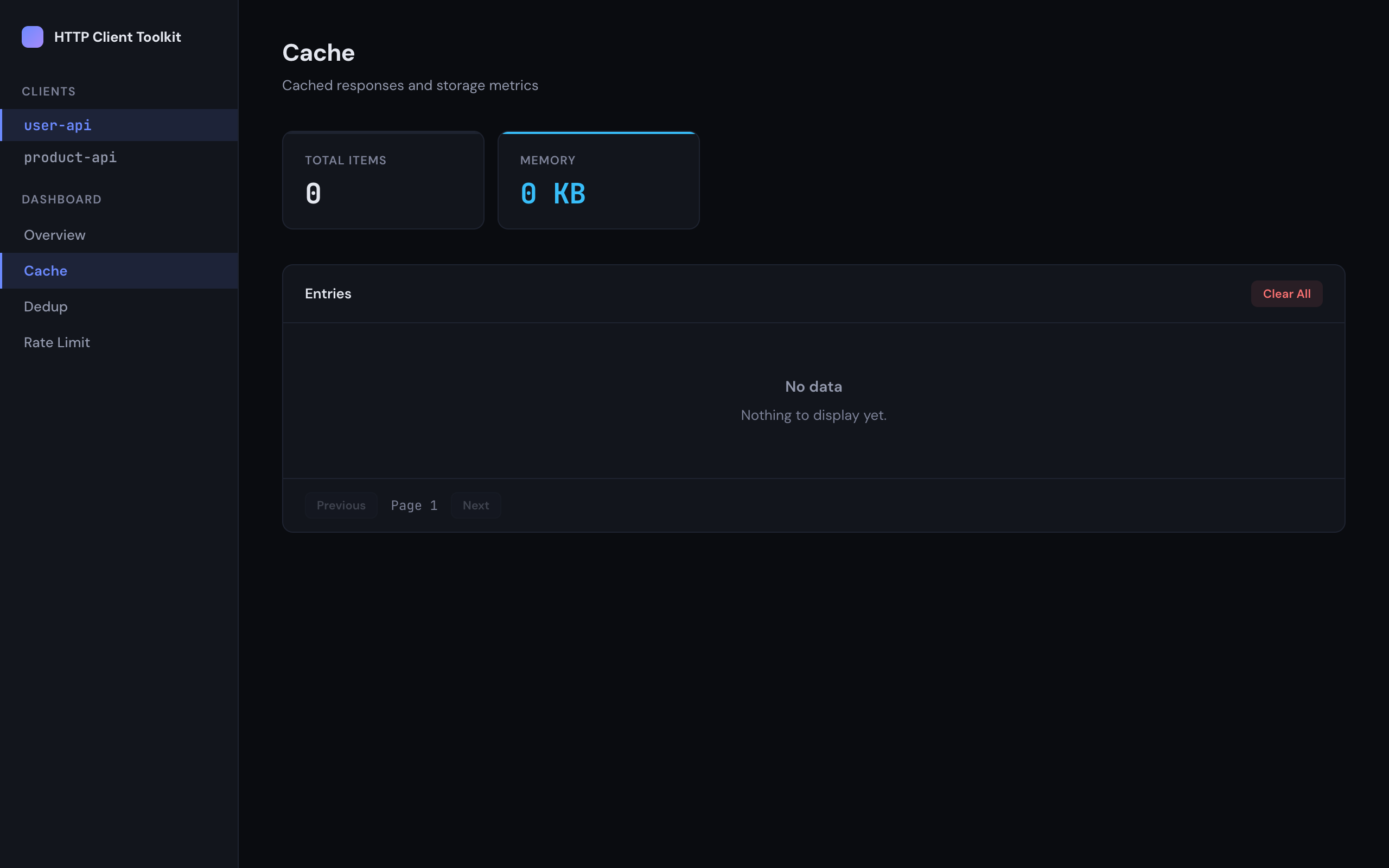
View cached responses with stats for total items, memory usage, and expired entries. Supports paginated entry listing, individual deletion, and bulk clearing.
Rate Limit
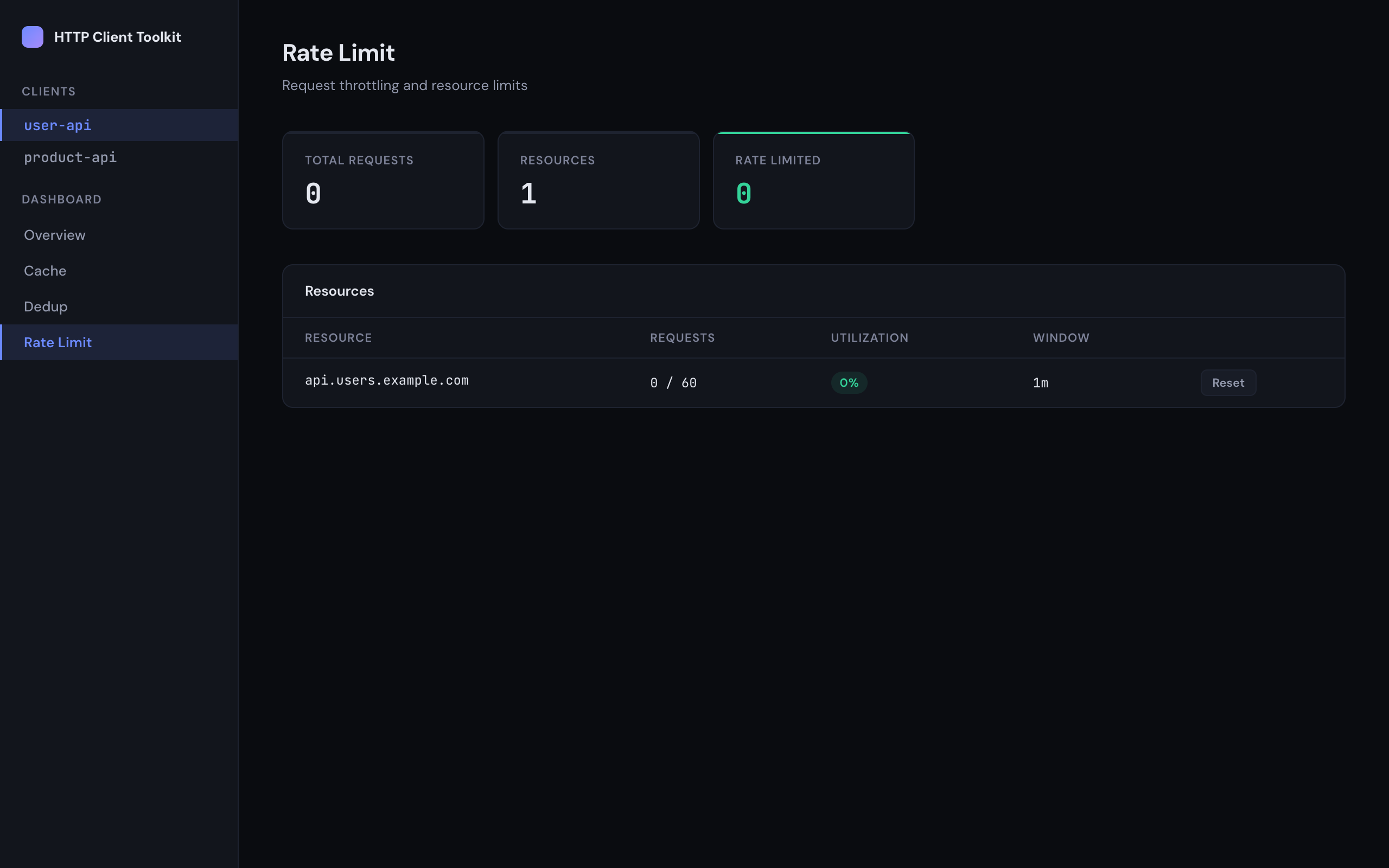
Section titled “Rate Limit”Monitor request throttling with per-resource utilization, request counts, and window durations. Reset individual resource counters when supported by the backend.
Track active deduplication jobs and total processed count. View individual job details when using a backend that supports listing.
Configuration
Section titled “Configuration”ClientConfig
Section titled “ClientConfig”Each client in the clients array accepts:
| Option | Type | Required | Description |
|---|---|---|---|
client | HttpClient | Yes | An HttpClient instance with at least one store configured |
name | string | No | Override the client’s name for the dashboard (defaults to client.name) |
The dashboard reads stores directly from the HttpClient instance via its stores property. At least one store (cache, dedupe, or rateLimit) must be configured on the client.
DashboardOptions
Section titled “DashboardOptions”| Option | Type | Default | Description |
|---|---|---|---|
clients | ClientConfig[] | — | One or more named clients (required) |
basePath | string | '/' | URL prefix for the dashboard |
pollIntervalMs | number | 5000 | How often the UI polls for updates (ms) |
StandaloneDashboardOptions
Section titled “StandaloneDashboardOptions”Extends DashboardOptions with:
| Option | Type | Default | Description |
|---|---|---|---|
port | number | 4000 | Port number for the standalone server |
host | string | 'localhost' | Host to bind to |
Supported Backends
Section titled “Supported Backends”The dashboard uses runtime detection to identify which store implementation you’ve passed in and wraps it with a backend-specific adapter. No changes to your store code are required.
| Backend | Cache | Dedup | Rate Limit |
|---|---|---|---|
| Memory | Stats, list entries, view/delete/clear | Stats, list jobs, view job | Stats, list resources, view/reset/configure |
| SQLite | Stats, list entries, view/delete/clear | Stats, list jobs, view job | Stats, list resources, view/reset/configure |
| DynamoDB | Stats only | Stats only | Stats only |
| Unknown | Stats only | Stats only | Stats only |
API Endpoints
Section titled “API Endpoints”The dashboard exposes a REST API that the React SPA consumes. All store endpoints are scoped per client under /api/clients/:name/.
| Method | Endpoint | Description |
|---|---|---|
GET | /api/health | Aggregate health with all clients and capabilities |
GET | /api/clients | List all clients and their store types |
GET | /api/clients/:name/cache/stats | Cache statistics |
GET | /api/clients/:name/cache/entries?page=0&limit=50 | List cache entries |
GET | /api/clients/:name/cache/entries/:hash | Get a single cache entry |
DELETE | /api/clients/:name/cache/entries/:hash | Delete a cache entry |
DELETE | /api/clients/:name/cache/entries | Clear all cache entries |
GET | /api/clients/:name/dedup/stats | Dedup statistics |
GET | /api/clients/:name/dedup/jobs?page=0&limit=50 | List dedup jobs |
GET | /api/clients/:name/dedup/jobs/:hash | Get a single dedup job |
GET | /api/clients/:name/rate-limit/stats | Rate limit statistics |
GET | /api/clients/:name/rate-limit/resources | List rate-limited resources |
GET | /api/clients/:name/rate-limit/resources/:name | Get resource status |
PUT | /api/clients/:name/rate-limit/resources/:name/config | Update resource config |
POST | /api/clients/:name/rate-limit/resources/:name/reset | Reset a resource counter |
Future Improvements
Section titled “Future Improvements”- Retry metrics — Show requests that required retries and their success rate. The core
HttpClientretry loop currently doesn’t persist metrics, so this would require adding internal retry tracking (total attempts, successes after retry, final failures) and exposing it via a new dashboard adapter.